
AI use is becoming part of everyday work faster than many companies are creating rules for it. Employees are already using AI at work. They may be asking ChatGPT to rewrite an email, using AI to summarize a meeting, uploading a spreadsheet for analysis, brainstorming marketing ideas, or trying an AI feature built into software your company already uses.
The problem is that AI adoption is moving faster than many organizations are creating policies for it. Employees may be using personal AI accounts, uploading internal information, or trying generative AI tools that have never been reviewed or approved, leaving them to decide for themselves what is safe and appropriate.
Enter: Shadow AI.
For HR professionals, this creates a clear policy issue. Employees need practical guidance on which AI technologies they can use, what information they can share, which uses require approval, and what is off-limits.
An AI acceptable use policy can help employees use AI productively without leaving them to make their own decisions about privacy, confidentiality, employment decisions, and other risks.
What Is Shadow AI?
“Shadow AI” generally refers to employees using AI tools for work without an organization’s knowledge, approval, or oversight.
That could include:
- Using a personal ChatGPT, Claude, or Gemini account for work-related tasks
- Paying for an AI subscription personally and using it for company projects
- Installing an AI browser extension or application without approval
- Adding an AI transcription or notetaking tool to a company meeting
- Using an AI résumé screening or candidate evaluation service
- Using an AI feature built into existing software without knowing how sensitive company data is being processed
- Creating AI automations or workflows that haven’t been reviewed by the organization
Shadow AI can also involve an approved AI platform being used for something the organization never intended or approved.
This is not necessarily malicious behavior. Employees often turn to AI because they are trying to get their work done faster or more effectively.
A survey conducted by Deloitte this year found that out of 25,000 workers, 63% reported using generative AI for work. Among those users, 31% said they were doing so without their employer’s knowledge.
That’s one reason simply telling employees to “use AI responsibly” is no longer enough. Organizations need to define what responsible AI usage actually means.
Why Artificial Intelligence Belongs in Your Acceptable Use Policy
As an HR professional, you’re likely already involved in policies that establish what employees can and can’t do with company resources, information, communication tools, and technology. AI increasingly belongs in that conversation.
Many companies have begun incorporating very specific AI rules into their employee policies. GitLab maintains both an internal acceptable use policy and detailed guidance about approved and unapproved AI tools. Another example, Moms In Motion’s employee handbook, identifies approved AI products, prohibited uses, sensitive-data restrictions, and employee training requirements.
As an HR professional, you don’t need to determine whether a particular AI model is technically secure – IT, security, legal, privacy, or other teams may need to evaluate the tools themselves. But once the organization decides which tools and uses are acceptable, employees will need rules they can actually understand and follow. This is where you come in!
In fact, an AI use policy is especially important for your HR department because HR itself routinely works with information that deserves additional protection, including:
- Personnel files
- Applicant and recruiting records
- Performance evaluations
- Compensation and payroll information
- Disciplinary records
- Medical, leave, and accommodation information
- Employee complaints
- Workplace investigation materials
An AI policy should make it clear how information like this can, and cannot, be used with AI.
Should You Ban AI at Work?
For most organizations, a blanket ban would be difficult to enforce.
AI is increasingly built into software employees already use. And when the company doesn’t provide AI for employees to use, they may seek out their own tools. This makes the risks of data leakage fall outside of your organization’s control, and brings us right back to where we started: shadow AI.
Rather than simply telling employees “don’t use AI,” consider whether your organization can provide:
- Approved AI tools
- Clear examples of acceptable uses
- Specific rules for confidential information
- Extra requirements for higher-risk activities
- Training using realistic workplace scenarios
- A simple process for requesting approval of a new tool
The objective isn’t to eliminate AI use. It’s to prevent employees from having to invent their own rules for using it.
What Should an Employee AI Acceptable Use Policy Cover?
Every organization’s needs will be different, but an effective AI policy should answer a few basic questions for employees:
- Which generative AI models or AI tools am I allowed to use?
- What am I allowed to use them for?
- What information can I give them?
- What uses require additional approval?
- What should I do if I make a mistake?
The policy should provide enough detail that an employee doesn’t have to make those decisions alone.
Identify Approved AI Platforms &Tools
Start by telling employees which AI tools they may use for work. Be as specific as necessary. Approval may depend not only on the company providing the tool, but also on the specific product or account being used.
For example, using a personal account may not be treated the same way as using an enterprise account the organization has evaluated and purchased.
Your policy should address:
- Approved AI platforms
- Approved account types or versions
- Whether personal AI accounts may be used for company work
- Whether employees can purchase AI subscriptions themselves
- How employees can request approval to use new AI systems or tools
- Who makes the final decision about whether a tool is approved
This list will probably need to change over time, so consider keeping the approved-tool list somewhere that can be updated more easily than an employee handbook.
Define What Employees Can and Can’t Use AI For
Approving an AI tool doesn’t necessarily mean approving every possible use of it. Employees need practical examples.
An organization might allow employees to use AI to brainstorm ideas, improve the wording of non-confidential communications, summarize public information, or help organize their own notes.
Other uses may need restrictions or additional approval, particularly when AI is being used to make decisions about people, analyze confidential information, process customer information, or create work involving intellectual property.
The policy should distinguish between:
- Generally permitted uses
- Uses that require manager or departmental approval
- Uses that require HR, legal, IT, or security review
- Uses that are prohibited altogether
The more specific you can be, the less likely employees are to interpret the policy differently from one another.
Be Specific About Confidential and Sensitive Information
One of the most important parts of an AI acceptable use policy is explaining what information employees should not enter into unapproved AI tools. Simply saying “Do not enter confidential information” likely won’t be enough. Employees need to know what your organization considers confidential or sensitive.
For HR-related information, sensitive data might include:
- Résumés and applicant information
- Employee personnel records
- Performance evaluations and manager notes
- Disciplinary records
- Compensation and payroll information
- Benefits information
- Social Security numbers and financial information
- Medical, disability, and accommodation information
- Leave and FMLA information
- Employee complaints and investigation materials
For other departments, this might include:
- Customer or client information
- Contracts and information covered by NDAs
- Internal financial information
- Nonpublic pricing or sales information
- Trade secrets
- Proprietary processes
- Source code
- Internal business plans or strategies
- Confidential emails
- Meeting transcripts
- Unreleased products or research
Several universities have published their AI usage policies. Vanderbilt University’s staff guidance addresses confidential, sensitive, legally restricted, and contractually protected information. UW-Whitewater’s policy also addresses employee performance information and recruitment, personnel, and disciplinary uses. These examples are useful because they move beyond basic bullet points, and tell employees what they actually mean in everyday work.
Account for the Ways Employees Actually Use AI
When you write your AI policy, think beyond someone deliberately uploading a confidential database or feeding trade secrets into a chatbot.
Most questionable AI use is much more ordinary. Employees are trying to write faster, analyze information, summarize something, or automate a tedious task. The risk can be easy to miss because the task itself seems harmless.
Using realistic examples in both your policy and employee training can help people recognize those situations before they occur.
“Can You Make This Email Sound More Professional?”
An employee pastes an entire email from a customer, vendor, or coworker into an AI tool and asks it to improve the wording.
The employee is thinking about writing, not data security. But the email could contain names, pricing information, contract details, customer information, internal discussions, or other confidential material.
Your policy should help employees understand whether they can use AI for writing assistance and when they need to remove identifying or confidential information first.
“Write a Social Media Post About This”
Someone in marketing copies information about an upcoming product, promotion, partnership, or company announcement into an AI tool to help write promotional copy.
If that information hasn’t been made public yet, the employee may be sharing confidential company information with an unapproved service without realizing it.
Your policy should address whether employees can use AI with unreleased products, campaigns, company plans, or other nonpublic information.
“Analyze These Numbers for Me”
Someone in sales, finance, or operations uploads a spreadsheet and asks AI to identify trends or summarize the results.
The spreadsheet might contain customer names, sales figures, employee compensation, pricing, financial forecasts, or other information that shouldn’t be uploaded to an unapproved platform.
Employees should understand that uploading a file can raise the same concerns as typing sensitive information directly into a prompt.
“Summarize This Meeting for Me”
An employee adds an AI meeting assistant or transcription tool to a company call.
That may be perfectly acceptable for some meetings. But the same tool could also end up recording discussions about customers, financial results, legal matters, personnel issues, new products, or company strategy.
Your policy should explain when AI meeting tools are permitted, when they require approval, and if there are certain types of meetings where AI usage is strictly off-limits.
“Help Me Solve This Coding Problem”
A developer pastes company source code into an AI coding assistant to troubleshoot an error or find a better way to accomplish something.
AI can be extremely useful for development work, but proprietary code, security information, credentials, and details about internal systems may require additional protection.
Your policy should clarify which coding tools and/or accounts are approved, and what types of company code or technical information employees are permitted to share with them.
“Which Candidates Should I Interview?”
Someone in HR uploads applicant résumés and asks an AI tool to recommend which candidates should advance. In this case, the concerns go beyond confidential information. AI is being used to assist with an employment decision.
The EEOC has published guidance on AI and employment decisions. Federal employment discrimination laws continue to apply when employers use technology to assist with recruiting, hiring, monitoring, performance management, promotion, compensation, and termination.
Your policy should clearly state whether employees may use AI to help make employment decisions and what human review or additional approval is required.
“What Does This Error Message Mean?”
An employee takes a photo or screenshot of their computer screen and uploads it to an AI tool for help troubleshooting a problem.
They may be focused only on the error message, but the image could also show customer names, email addresses, account information, internal dashboards, financial data, confidential messages, or other information elsewhere on the screen.
Photos can create the same confidentiality concerns as copied text or uploaded documents. Your policy should remind employees to review the entire image, including anything visible in the background, before uploading it to an AI tool.
The same issue can arise when someone photographs a whiteboard, document, workspace, product, or piece of equipment. Information that seems incidental to the employee may still be visible and readable by the AI tool.
“Can You Summarize This Document?”
An employee uploads a long contract, internal report, proposal, presentation, or other document because AI can summarize it in seconds.
The convenience is obvious. The problem is that employees may focus on what they want AI to do with the document without thinking about what information they’re giving the AI service in the process.
That’s an important principle to reinforce throughout your policy: employees should consider the information they are providing to an AI tool, not just the task they’re asking it to perform.
AI Risks Your Policy Should Address
Your AI acceptable use policy doesn’t need to teach your employees AI law. It should, however, flag the situations where employees need to stop and ask for guidance.
Confidentiality and Privacy
When employees enter company information into an AI tool, that information may be transmitted to and processed by the company that provides the service. How that information is stored, retained, or used depends on the specific tool and account being used.
Your organization should: understand how the provider handles, retains, and protects that data.
Your policy should: identify the types of information employees cannot enter into unapproved AI tools and tell them which approved tools, if any, can be used with sensitive information.
Trade Secrets and Proprietary Information
Employees may use AI while working with product plans, source code, pricing, business strategies, research, processes, or other information that gives the organization a competitive advantage. Sharing this information with an outside AI service could conflict with the steps the company takes to keep it confidential and protect it as proprietary information or a trade secret. Employees should know that proprietary business information requires special care.
Your organization should: determine which types of proprietary information require additional protection and whether approved AI tools can be used with that information.
Your policy should: make clear that existing confidentiality and trade-secret obligations still apply when employees use AI, and explain when employees need approval before entering proprietary information into an AI tool.
Contracts and NDAs
Information doesn’t have to belong to your company to create a risk. Customer contracts, vendor agreements, nondisclosure agreements, and other business arrangements may limit how information can be shared, stored, or processed. An employee may have no idea that uploading a document to an AI service could conflict with one of those agreements.
Your organization should: understand whether contracts, NDAs, or other agreements restrict the use of third-party AI services with certain information.
Your policy should: tell employees when customer, vendor, partner, or other contract-protected information cannot be entered into AI tools and when they need approval before using AI with that material.
Employment Decisions and Discrimination
AI can be used to screen résumés, compare applicants, summarize performance information, recommend candidates, or assist with other decisions affecting employees. But using AI does not remove an employer’s responsibility to follow employment discrimination laws. AI tools can also introduce concerns about bias, accessibility, accuracy, and how much weight is being given to automated recommendations.
Federal employment discrimination laws still apply when employers use technology to assist with employment decisions. That can include recruiting, hiring, performance management, promotion, compensation, discipline, and termination.
Your organization should: decide whether AI may be used to assist with hiring, promotion, compensation, performance management, discipline, termination, or other employment decisions, and determine what level of human review or legal guidance is appropriate.
Your policy should: clearly define which employment-related uses of AI are permitted, restricted, or prohibited and explain when HR or another appropriate department must be involved.
Copyright and Intellectual Property
AI creates intellectual property questions in both directions. Employees may upload copyrighted, licensed, or company-owned material into an AI tool, and they may also use AI-generated text, images, code, or other content in company work. The legal treatment of AI-generated content continues to develop, and the rules may differ depending on what was uploaded, how the output was created, and how the company plans to use it.
Your organization should: determine when AI use involving copyrighted, licensed, or proprietary material requires legal or other internal review.
Your policy should: explain when employees need approval before uploading protected material to an AI tool or using AI-generated content in important company work, products, publications, or intellectual property.
Don’t Treat Every AI Tool the Same
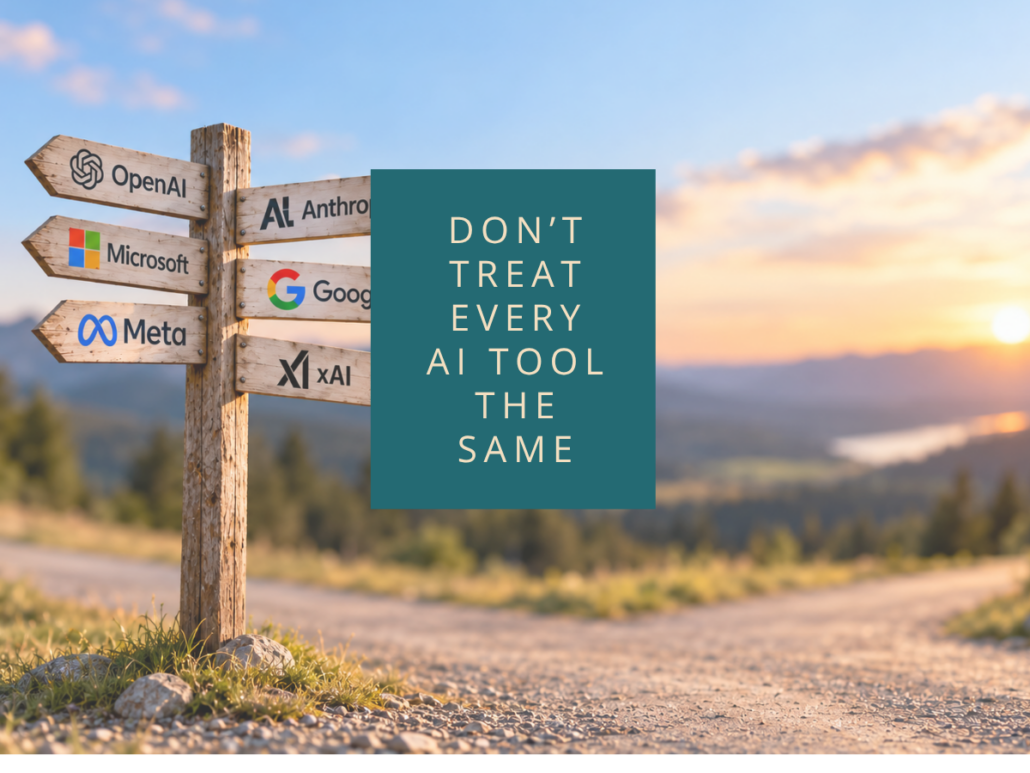
One misconception worth addressing in your policy and training is that everything entered into AI systems automatically becomes AI training data. That isn’t accurate.
How data is handled can vary based on the provider, product, account type, contractual agreement, settings, and other factors.
For example:
- OpenAI states that data from its business products and API is not used to train its models by default.
- Microsoft states that prompts, responses, and Microsoft Graph data within enterprise-protected Copilot products aren’t used to train foundation models.
- Google’s Gemini provides additional privacy protections for qualifying Workspace customers using its generative AI tools in places like Gmail, Drive, and Chat.
- Anthropic states that inputs and outputs from its commercial products are not used for model training by default.
Someone within the organization should evaluate the appropriate products and account types. Then your employee policy should make the answer simple: these are the AI tools we have approved for work, and these are the rules for using them.
Ensure that the policy explicitly states which version the employee is allowed to use. For instance, if the employee purchases a version of Gemini on their own that does allow the input to be used for AI training purposes, but their Gemini version through Google Workspace does not, it is critical for privacy reasons that the employee uses the Workspace version for work purposes.
Include Rules for Accuracy and Human Review
AI can produce incorrect, incomplete, outdated, or misleading information. Your policy should make clear that employees remain responsible for the work they submit or decisions they make, even when AI helped produce it.
Depending on the organization, your policy may require employees to:
- Review AI-generated content before using or sharing it
- Verify important factual information
- Avoid relying solely on AI for consequential decisions
- Use additional human review for certain higher-risk tasks
- Follow existing professional, legal, or regulatory requirements even when AI is involved
This becomes especially important in HR, where an inaccurate AI response could affect an applicant, employee, policy interpretation, or employment decision.
Decide When Employees Need to Disclose AI Usage
Your organization may also want employees to disclose AI use in certain situations. That doesn’t necessarily mean requiring someone to announce every time AI helps reword a sentence.
Instead, consider whether disclosure is needed when AI meaningfully contributes to:
- External client work
- Research or analysis
- Employment decisions
- Reports used by leadership
- Published content
- Intellectual property
- Work subject to professional or regulatory requirements
The policy should tell employees when – and how – disclosure is expected, rather than leaving them to guess.
Tell Employees What to Do If Something Goes Wrong
Mistakes are going to happen; someone pastes information into the wrong AI tool before realizing it, an employee uploads a document they shouldn’t have, or a manager uses an AI service that hasn’t been approved.
Your policy should make the next step clear. Employees should know:
- Who to contact
- What information to provide about the incident
- That they should stop sharing additional information
- The importance of reporting a potential issue promptly
From there, the appropriate HR, IT, security, privacy, or legal teams can determine what information was involved, how the tool handles that information, and whether additional steps are necessary.
The goal shouldn’t be to make employees afraid to report a mistake. If employees believe they’ll automatically be punished for coming forward, they may be more likely to hide an incident that the organization needs to know about.
Include Use of AI in Employee Training
A written policy is a starting point, not the entire solution. Employees may not recognize why pasting an email into ChatGPT, adding an AI notetaker to a meeting, uploading a spreadsheet, or giving a coding assistant part of a proprietary project creates a policy issue.
It’s important to use realistic examples during training and onboarding so employees can recognize situations they’re likely to encounter.
Managers may need additional training because they regularly work with employee information and make decisions involving hiring, performance, discipline, accommodations, and other sensitive areas.
Training should answer practical questions such as:
- What AI tools can I use?
- Can I use my personal AI account for work?
- What information shouldn’t I share?
- Can I upload a document?
- Can I use AI to analyze customer or company data?
- Can I use AI to help evaluate applicants or employees?
- Can I use an AI meeting assistant?
- Who do I ask if I’m unsure?
- What should I do if I’ve already shared something I shouldn’t have?
If employees can answer those questions, that’s a good indication that your policy is effective.
Build an AI Use Policy Employees Can Actually Follow
AI technology will keep changing, which means your policy will probably need to change with it. But the core questions are unlikely to disappear.
Employees need to know which tools they can use, what they can use them for, what information they shouldn’t share, when human judgment is required, and who to contact when they’re unsure.
For HR, the job isn’t to become an expert on the technical workings of all the new AI tools and platforms. It’s to work with the people who understand those risks, and turn their decisions into clear workplace expectations for everyone else.
A useful AI policy gives employees enough freedom to benefit from the use of AI while establishing clear boundaries around the situations that could put employee information, customer information, sensitive company data, or the organization itself at risk.
Legal Disclaimer
This article is provided for general informational purposes only and does not constitute legal advice. Every organization’s legal, regulatory, and contractual obligations are different. You should consult qualified legal counsel before adopting or enforcing any workplace policy.